

Edit your images
Cut-outs and retouching change the image itself.
AI in OMN DAM
AI Tagging recognises image content and adds keywords to help you find media in OMN DAM.
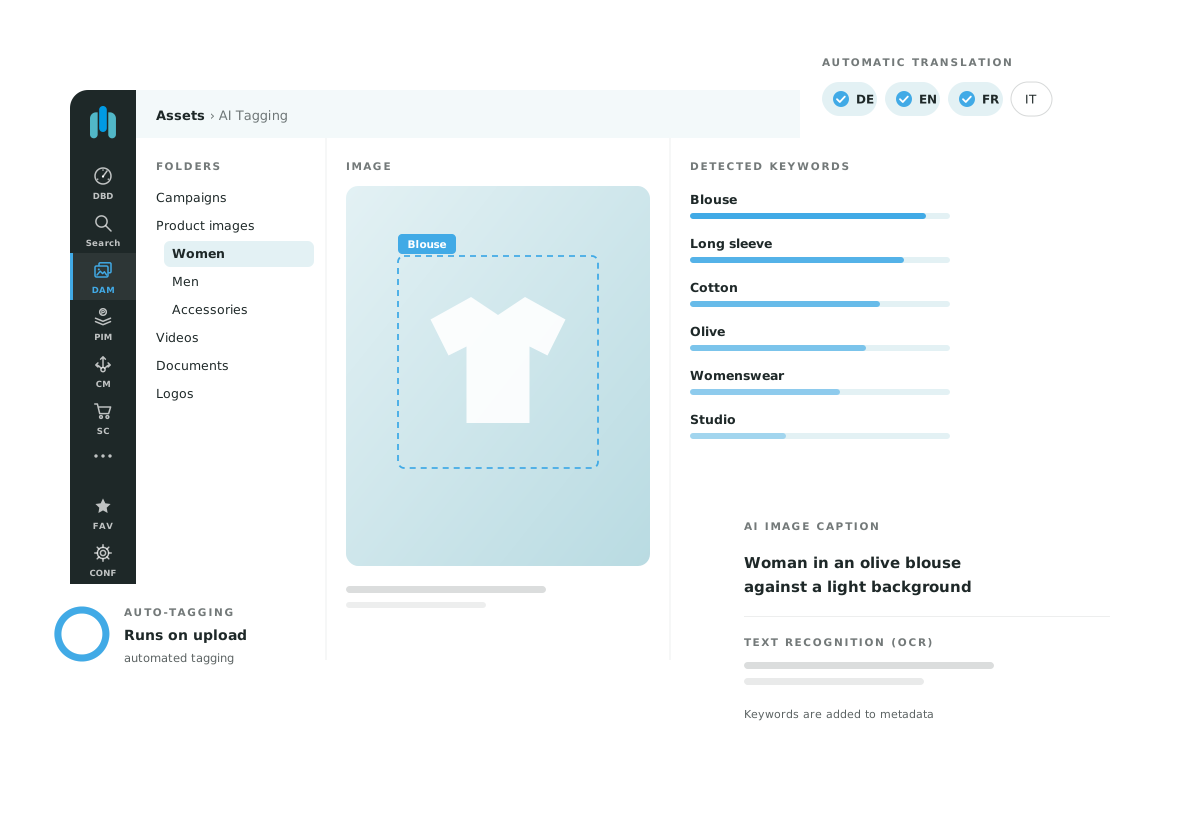
AI Tagging analyses images and adds metadata directly in DAM. Object and scene recognition, OCR and AI image captions support different search and enrichment tasks.
Describe images with keywords for objects, colours or scenes. Industry taxonomies and individually trained services can be discussed for your requirements.
OCR recognises text within an image. Image captions describe the subject, and tags can be translated into the required language.
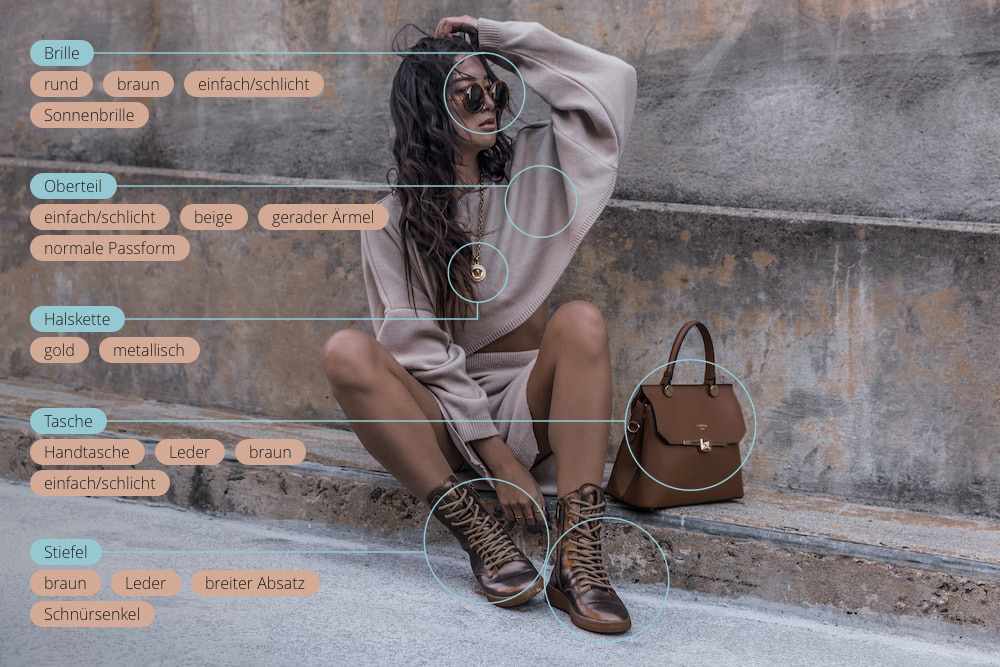
An image contains multiple searchable attributes. What matters is which ones help your team find it. This example illustrates recognition; results for your collection should be tested with representative images.
Tagging means adding keywords to each image that describe what it shows and what it is for. With a few images, you can do this by hand. With thousands of product photos, variants and campaign visuals, manual tagging quickly becomes patchy and inconsistent.
You assign keywords yourself, for example product, collection or intended use. This is precise, but it takes time and needs clear rules so that everyone uses the same terms.
AI Tagging suggests keywords for objects, colours and scenes and recognises text in the image. You review the suggestions and add what only your team knows, such as campaign or usage rights.
A combination works best: AI describes what the image shows, your team defines what it is used for. Learn more in What is tagging?
Effective search requires a consistent vocabulary. Test typical queries to see whether suggested terms are understandable and specific enough for your team.
OMN supports several external providers. Existing integrations include Google, Clarifai, Microsoft, Imagga and Ximilar. We will clarify the available functions for your configuration.
No. Results depend on the image and service. Tags can be edited; testing your own collection is more useful than a universal accuracy claim.
With AI Tagging, the configured services analyse images after upload and add keywords. Even large collections get descriptive metadata without anyone opening each image. You then review the suggestions and correct them where needed.
Tags are individual keywords for an image. Metadata covers more: besides keywords also title, creator, usage rights or technical details. AI Tagging mainly adds descriptive metadata.
Tell us about your use case. We will show you the relevant OMN feature and discuss requirements, services and scope.
Request a demo