

Beyond background removal
Combine cut-outs, retouching and image preparation.
AI in OMN DAM
Remove backgrounds from product photos in OMN DAM. For manufacturers and retailers preparing image collections for shops, marketplaces and catalogues.
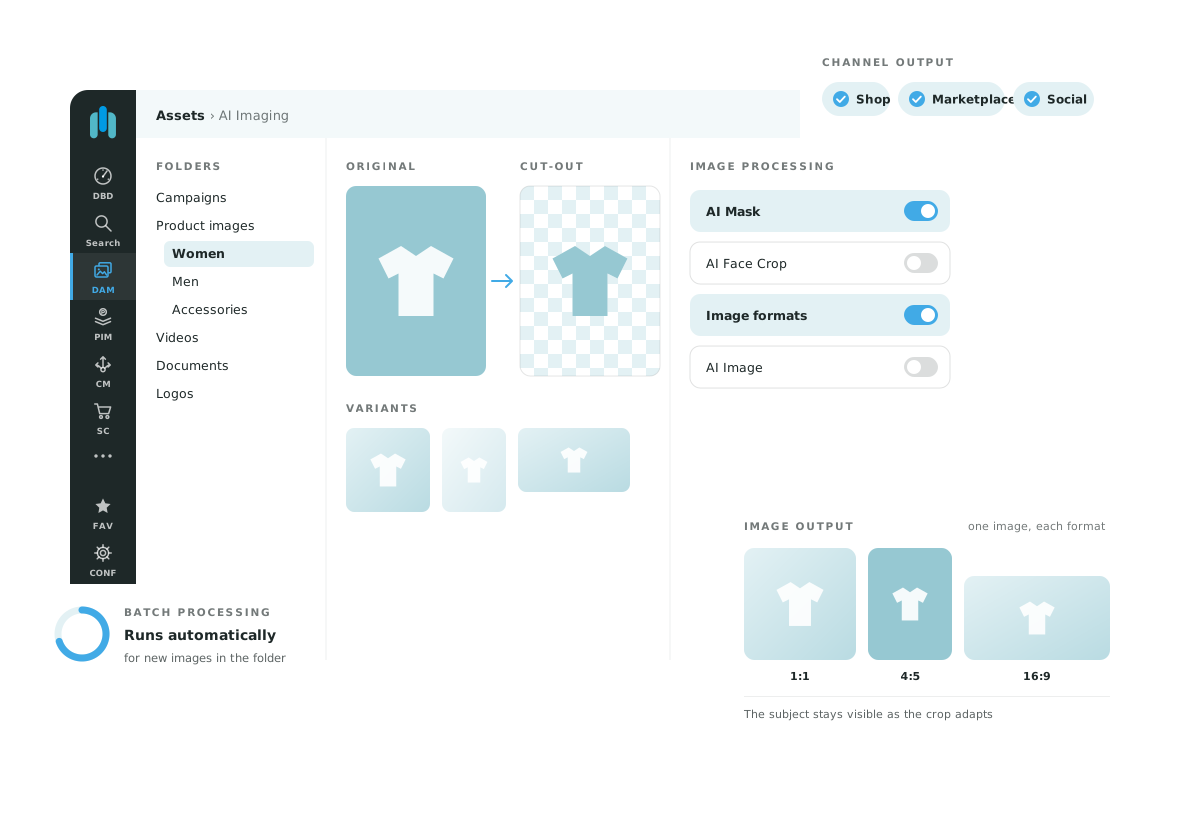
AI Mask is an AI service within OMN DAM. It separates the product from its background so your image team can prepare cut-outs for online shops, marketplaces and marketing materials. The service and output requirements are configured for your image types and intended use.
Use a repeatable process for collections of product photographs, such as clothing, accessories or packaged goods. Test representative images to establish which subjects can be processed to the required standard and which need manual corrections.
Define whether the next production step needs a mask, a vector clipping path or a prepared cut-out image. Use sample files to check what the selected service delivers and whether the output fits your workflow.
“the focus for us was clearly on shortening the ‘time-to-market.’”
Stephan Tournée, Popken Fashion Group
Test both typical and difficult images from your collection. Review fine hair, transparent areas, shadows and product edges against the original. Check that the product outline, labels and small details remain intact, then assess the output at the size required for its intended channel.
Agree on who approves the result and how images needing manual correction return to the workflow. Confirm the required formats and the handover to further use in DAM before expanding the process to more images.
AI Mask adds cut-outs and masking to the DAM image workflow. Your team selects source images, defines the required output and reviews the processed result. The service, requirements and scope are agreed for your use case.
AI Mask focuses on cut-outs and masking. AI Image combines several retouching and processing steps in an individual workflow.
Yes. Suitability depends on the subject and the service used. Plan for review and any necessary corrections.
Tell us about your image types, approximate volume and target channels. We will show you AI Mask in OMN DAM and discuss the service, output requirements and review steps for your use case.
Request a demo