Zum Inhalt springen

Image editing in OMN DAM

AI Imaging: Edit images with purpose

Find the right image processing in OMN DAM: cut-outs, retouching or face cropping.
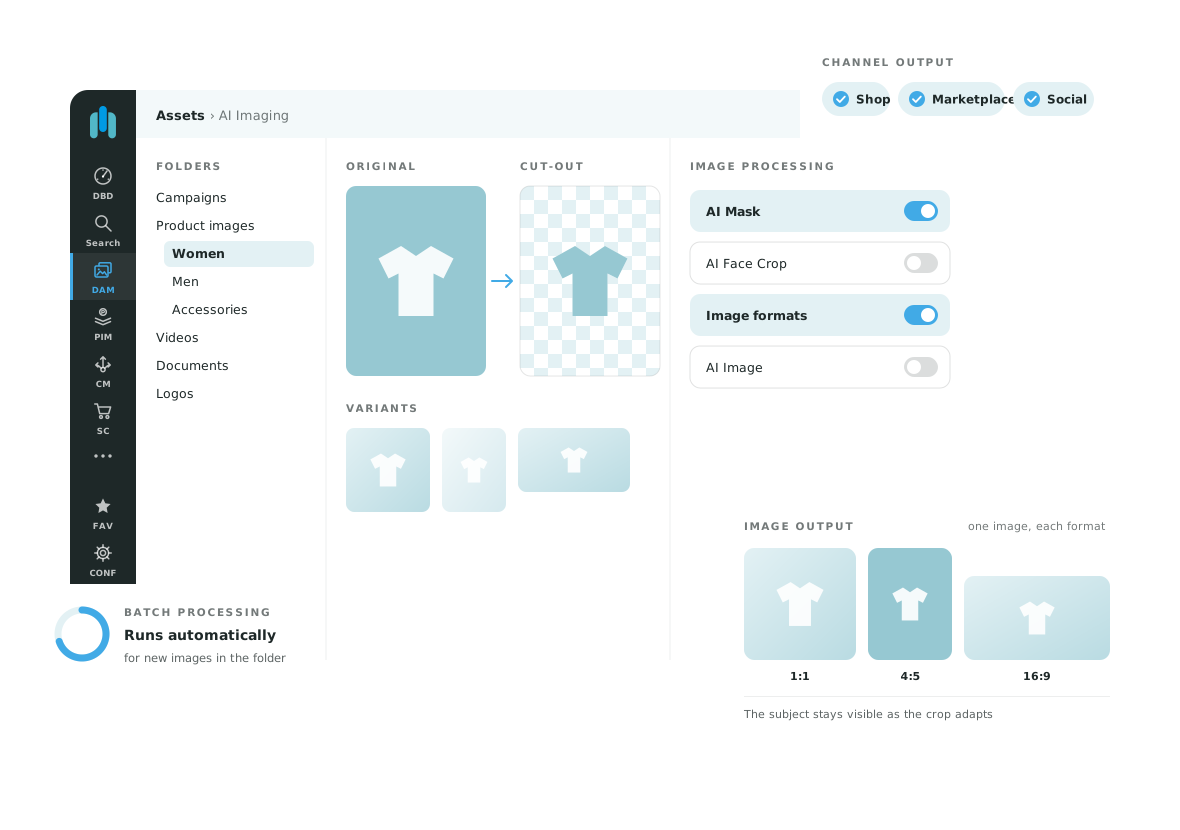
Illustration of image editing and downstream content workflows in OMN

Which processing task do you need?

AI Imaging is the overview for image processing. Each feature handles a specific task.

Remove a background

AI Mask separates the subject from its background for cut-outs and masking.

Explore AI Mask

Combine retouching steps

AI Image combines several processing steps in an individually defined workflow.

Explore AI Image

Face cropping with AI Face Crop

AI Face Crop detects faces for automated cropping. This task is different from identifying a person. Crop requirements, image types and review are agreed for the use case.

Want to find images by their content? AI Tagging adds searchable metadata.

Explore image tagging

From source image to approved asset

Define the result
Choose your source images and the result your channel requires.
Configure the service
Agree on cut-outs, retouching or cropping for your image collection.
Review the output
Check product details, edges and appearance before further use.

Explore AI for your content

Tell us about your use case. We will show you the relevant OMN feature and discuss requirements, services and scope.

Request a demo