

Beyond background removal
Combine cut-outs, retouching and image preparation.
AI in OMN DAM
Remove backgrounds in OMN DAM and prepare cut-out images for your channels.
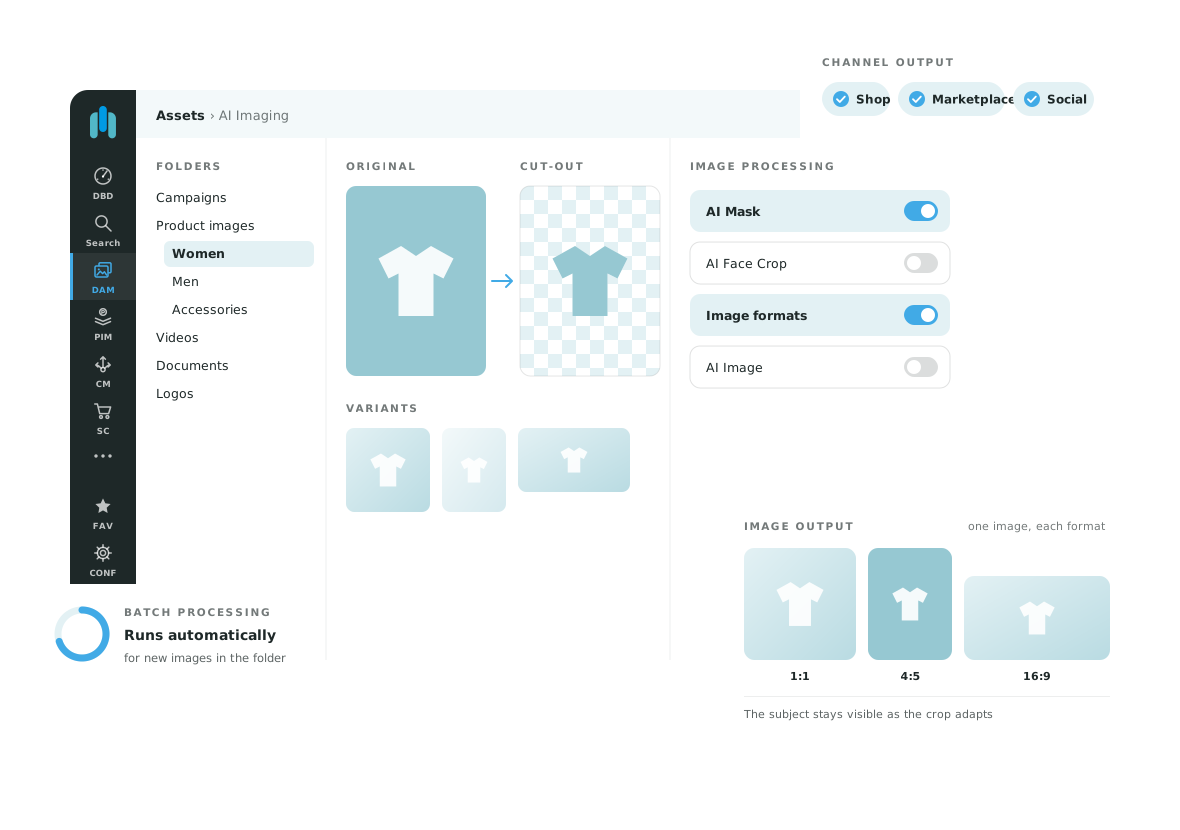
AI Mask handles image cut-outs and masking. The service separates the subject from its background, providing images for shops, marketplaces and marketing materials.
A repeatable cut-out process is useful for ranges with many similar product photographs.
Use your images to determine which service delivers the mask or vector clipping path you need.
“the focus for us was clearly on shortening the ‘time-to-market.’”
Stephan Tournée, Advertising Department Manager, Popken Fashion Group
Test both typical and difficult images from your collection. Assess edge quality, output format and how the result will be used in DAM.
AI Mask focuses on cut-outs and masking. AI Image combines several retouching and processing steps in an individual workflow.
Yes. Suitability depends on the subject and the service used. Plan for review and any necessary corrections.
Tell us about your use case. We will show you the relevant OMN feature and discuss requirements, services and scope.
Request a demo