

Put an end to image chaos.
The DAM that feeds your channels itself.
OMN DAM manages images, videos, documents and 3D data in one place — with AI tagging, one-click background removal and automatic output in the right format for shop, marketplaces and print.
- One media library for all teams, agencies and partners
- AI tagging, background removal and image generation inside the DAM
- 80+ file formats — image, video, audio, layout, office, 3D
- Natively connected to PIM: assets attach to products automatically
✓ Free & non-binding · ✓ 30-min live demo · ✓ Reply within 24 h
Request your personal DAM demo
Five details are enough — we get back to you within 24 hours.
Thank you!
We will get back to you within 24 hours to arrange your personal demo.
By submitting you agree to our privacy policy. Your data is only used to contact you.
Book a slot now
Pick a free 20-minute slot — the confirmation arrives by email right away.
Loading connects to Calendly (USA). See our privacy policy for details.
Over 150 companies rely on apollon



The problem
Does this sound familiar?
Three patterns we hear in almost every DAM conversation — and they cost hours every week.
Images on the file server, data in the ERP, texts in Excel
Media and product data live in separate systems. Manual matching costs time and produces errors.
Which image is the current one?
The shop shows the old version, the catalog another, the agency has a third. Nobody knows which file applies.
Converting by hand for every channel
WebP for the shop, JPEG for the marketplace, CMYK TIFF for print — all manual, every season again.
The solution
OMN DAM — your central media library
Manage, enrich, distribute: all digital assets in one software, natively connected to PIM and channel management.
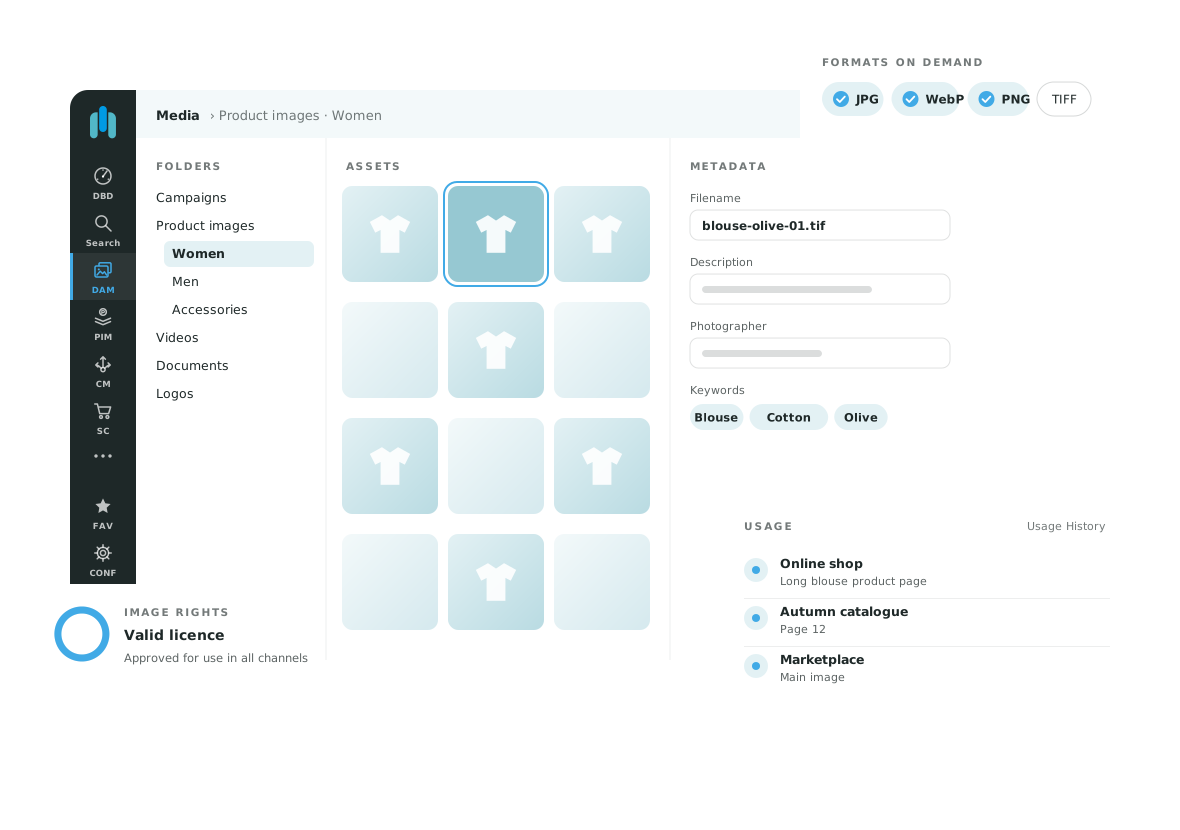
All assets. One place. Always current.
Images, videos, audio, layouts, office documents and 3D models live in one web-based library — with versioning, variant hierarchy and views such as light table, table or single object.
- Folders, collections, categories and metadata (IPTC/XMP)
- Versioning, variant view and compare view
- Full-text search with facets (Elasticsearch, OpenSearch with OMN 7) – even finds OCR text in images
- Browser access from any location
Background removal, tags, images — in one click.
The integrated AI services take over the grunt work: AI Tagger keywords automatically, AI Mask cuts out subjects in seconds, AI Image edits product images in defined workflows. With OMN 7, the OMN Companion also creates image variants and scenes from the product context.
- Automatic keywording of large image volumes (AI Tagger)
- Background removal and swap without Photoshop (AI Mask)
- Image generation and retouching inside the DAM (AI Image)
- Batch processing for hundreds of assets at once
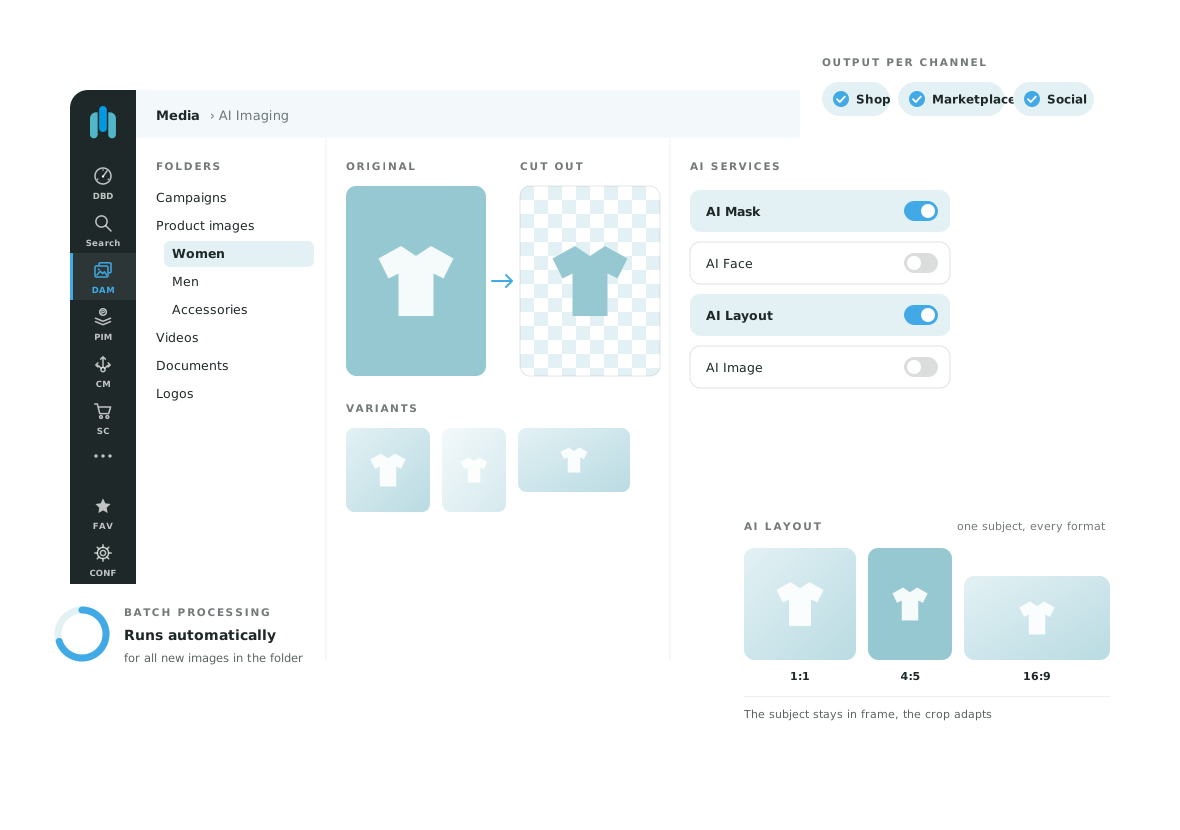
One upload. Every format. Every channel.
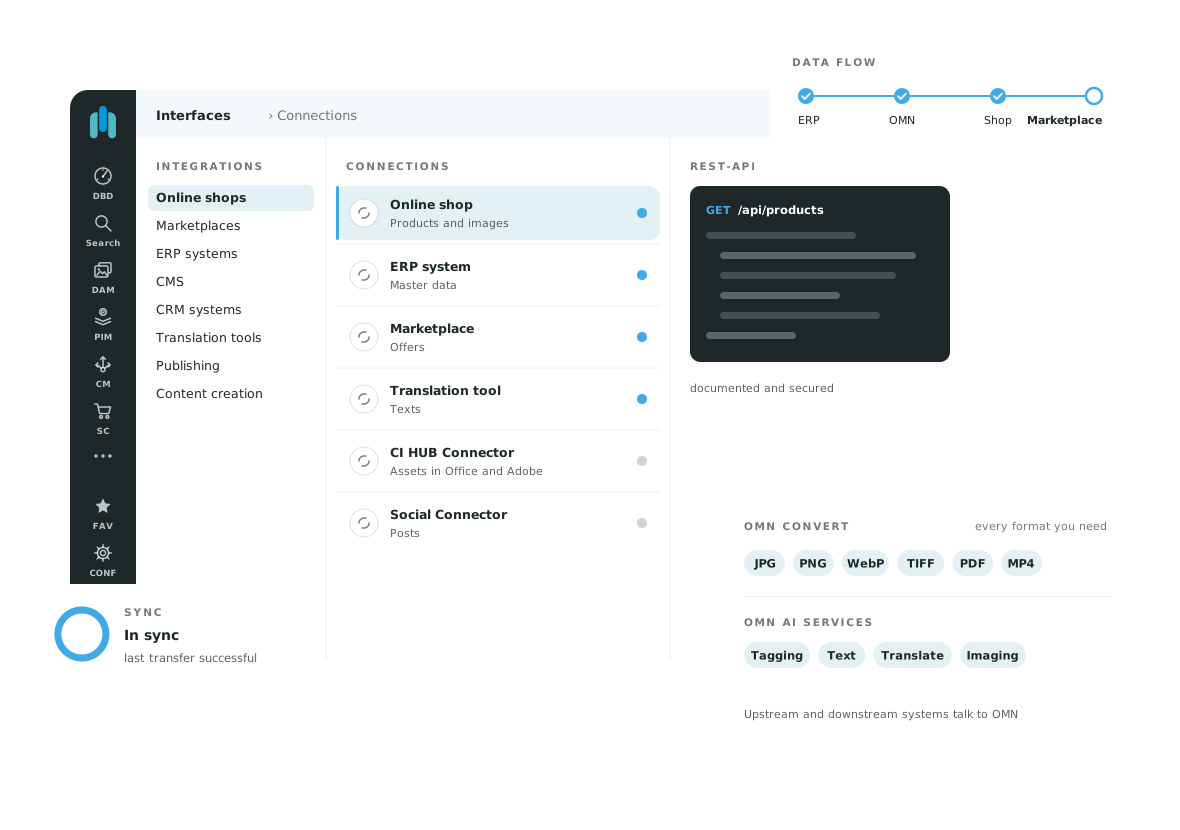
From one source image OMN automatically renders the derivatives for shop, marketplaces, print and social — including colour profile, size and crop. Distribution via download link, CDN, API or straight into your systems.
- Automatic conversion: WebP, JPEG, PNG, TIFF/CMYK, PDF and more
- Previews for 80+ formats — including InDesign, PSD, video and 3D
- Output via CDN (AWS CloudFront), REST API, Zapier and n8n
- CI HUB: use assets directly in InDesign, Photoshop, Office and Outlook
And there's more
PIM + DAM in one platform
Assets attach to products automatically — no mapping, no interface maintenance between two tools.
Licences & usage rights
Rights, terms and usage history per asset; warning before a licence expires.
Approvals & collaboration
Annotations, comments, workflows and role-based permissions for team, agency and partners.
360° & 3D
Viewers for 360° product images and 3D models (glTF, OBJ, FBX, STL) right in the browser.
Bulk upload
Thousands of files via drag & drop; matching to products by file name or barcode.
Made in Germany
Developed and hosted in Germany, GDPR-compliant, support in English and German.
Customer voices
What our clients say
Over 150 companies trust OMN — two of them share their experience here.
Results from DAM projects
Sources: Ventana Research, Forrester, Gartner — average values from DAM implementation projects; format list per OMN documentation 6.4
What happens next
Three steps to the right DAM
Request a demo or book a slot
Fill in the form or pick a slot directly — both take less than a minute.
First conversation
We talk about your media sources, channels and approval processes — and show OMN DAM live with examples from your industry.
Proposal and roadmap
You receive a recommendation for edition and rollout including asset migration. Typical projects go live in 4–12 weeks.
What does OMN DAM cost?
You will learn the price range for your project in the first conversation — it depends on edition, number of users and data volume. For an overview of the Essential, Professional and Enterprise editions and the support packages, see our pricing page.
Compare editions →Frequently asked
FAQ — DAM system
What does a DAM system like OMN cost?
What is the difference between PIM and DAM?
Which file formats does OMN DAM support?
Can I access the DAM directly from InDesign, Photoshop or Office?
How fast is OMN DAM ready to use?
Is OMN GDPR-compliant?
Ready for tidy media?
30 minutes that save you weeks of searching and manual work. Free and non-binding.